
What is ETCH and how can it help?
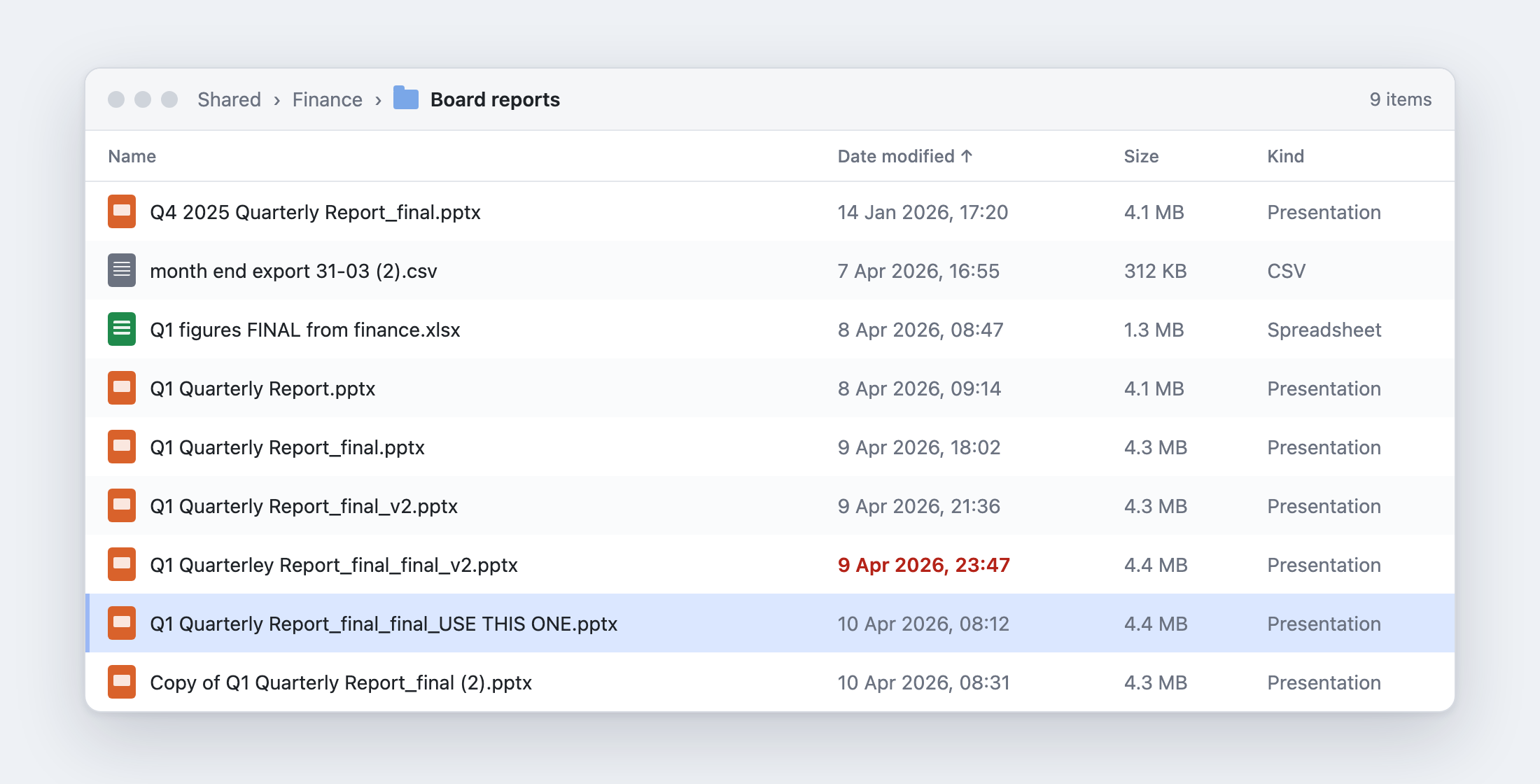
You've probably seen a folder like this one. I've worked in plenty of places where it was normal. Every quarter, someone opens last quarter's deck, saves it under a new name, and spends a day pasting in figures from the finance system and from a spreadsheet somebody emails round. By the time it reaches the board there are six copies, and nobody is quite sure which one went out.
Then the messages start...
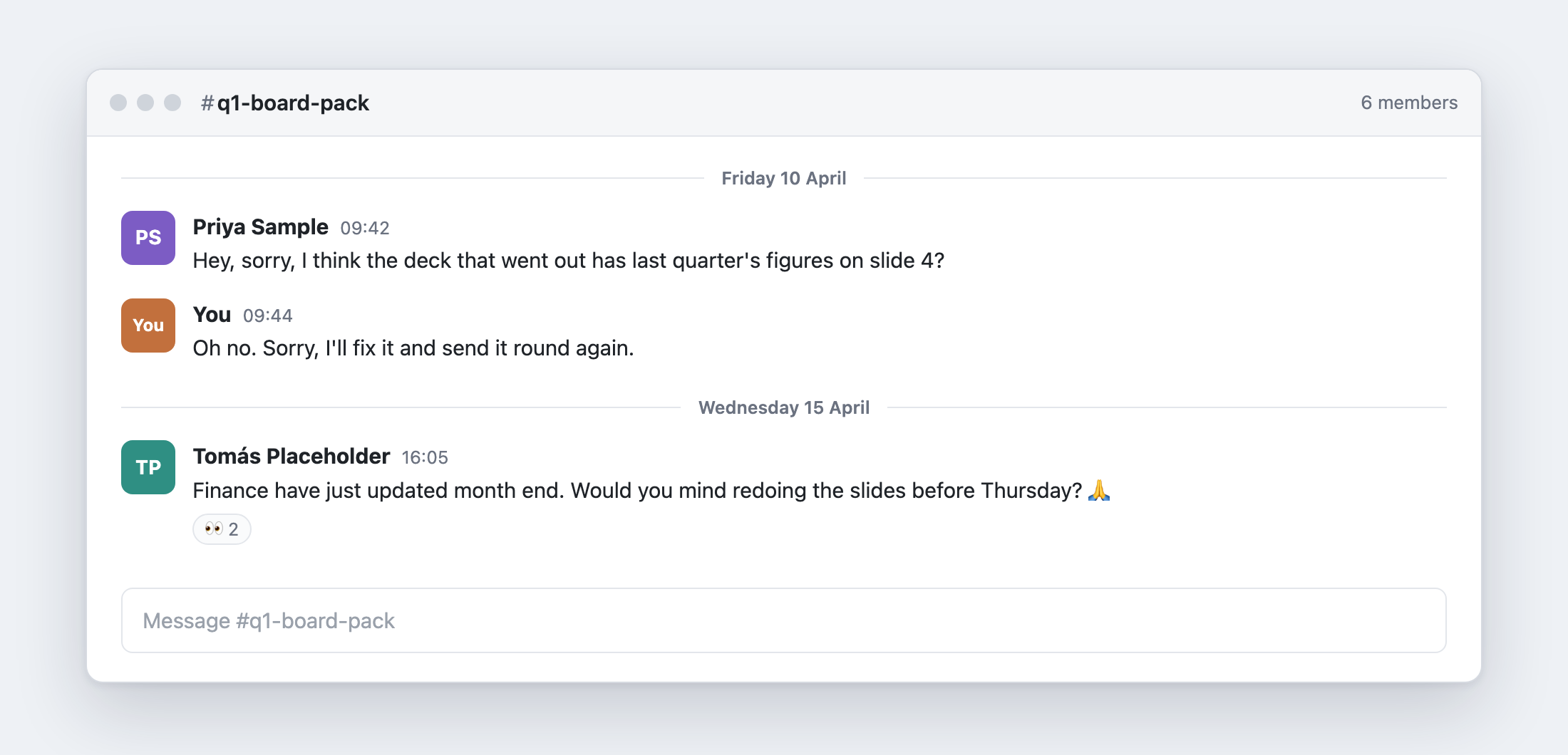
The two problems
The first is copies of copies. The document is out of date as soon as it's created and sent out, because the data was typed in by hand. A correction to that data involves a whole lot of manual work and verification, and everyone who keeps their own copy of the spreadsheet believes theirs is the latest and greatest. There's no central source of the truth.
The second problem turns up when a team does automate it, often the output document layout is baked into the program to generate it. So whenever the document needs to be changed it results in code needing to be changed and all the overhead and time that comes with that process.
How ETCH Helps
ETCH takes a template you design in Word, Excel, PowerPoint, Markdown or PDF and fills it with your data as JSON, and outputs the finished document in exactly the style you defined.
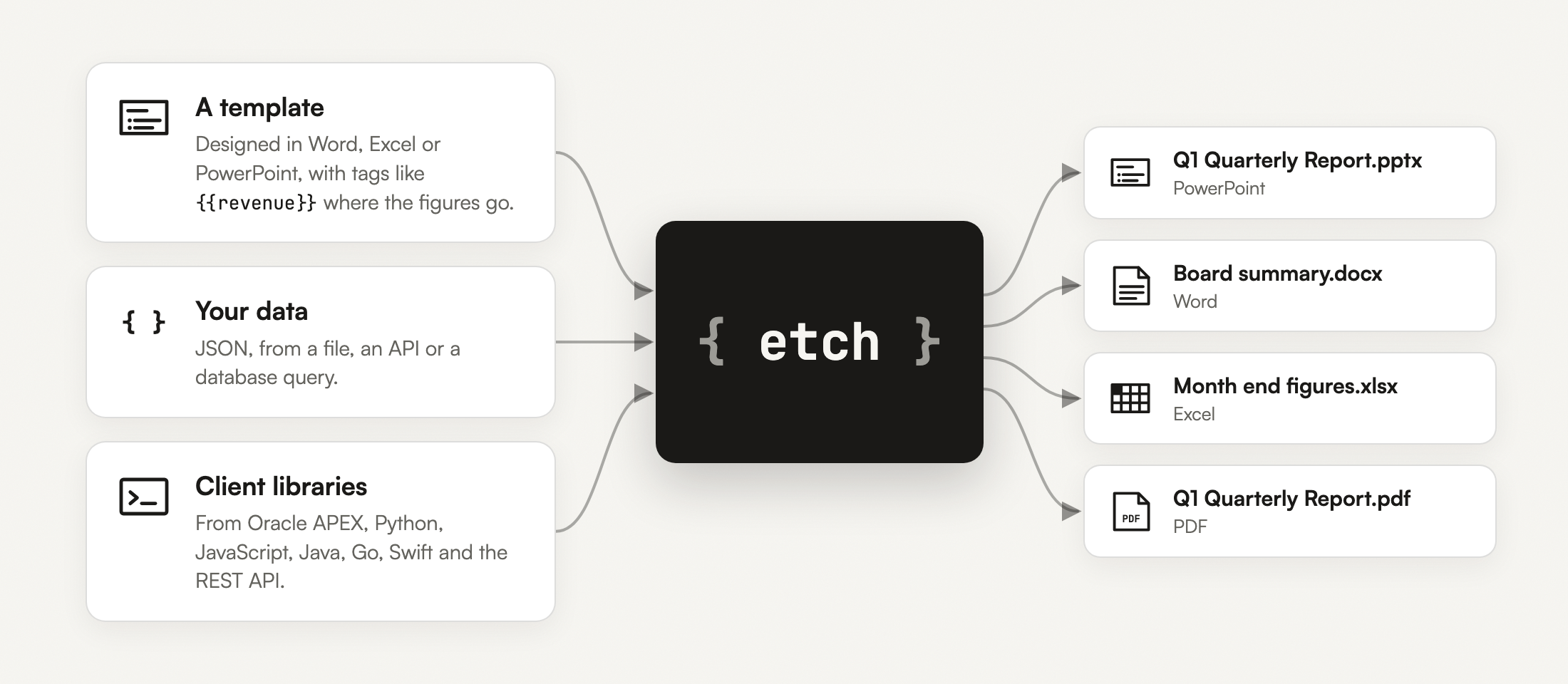
The template is an ordinary Office file, where you want data to appear you type a tag such as {{kpis.revenue}}, and you style it however you like. The formatting and layout you give to the template is the formatting the finished document will have.
Keeping the template and data separate pays off in both directions, where the template needs to be changed you don't need to change any code and vice-versa you are free to modify the code to change how the processing happens without having to worry about the document itself changing.
The data can be a JSON file, or your own code can build it dynamically or fetch it from a URL. In Oracle APEX it can come straight from a SQL query or an interactive report, interactive grid, chart or anywhere else.
A worked example: the quarterly deck
To show it properly, I built the deck from that folder: a five-slide board report for a made-up company, Placeholder Trading Ltd. Every figure in it is invented.
Here's slide 4, the one the message said had last quarter's figures. On the left is the template; on the right is what ETCH generated from the Q1 data.
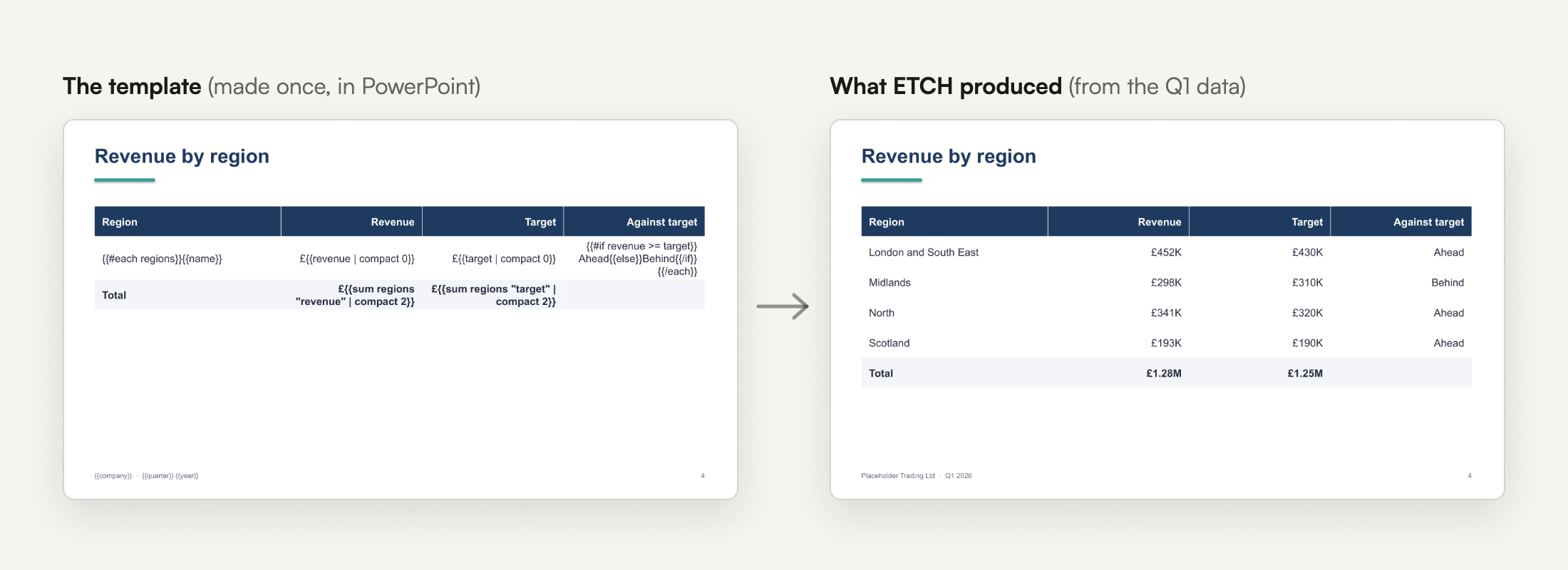
The table row is a loop. {{#each regions}} repeats it once per region, {{#if revenue >= target}} chooses between "Ahead" and "Behind", and the total underneath is {{sum regions "revenue"}}, added up in the template itself.
The data is a plain JSON file. The part slide 4 uses looks like this:
{
  "company": "Placeholder Trading Ltd",
  "quarter": "Q1",
  "year": 2026,
  "regions": [
    { "name": "London and South East", "revenue": 452000, "target": 430000 },
    { "name": "Midlands", "revenue": 298000, "target": 310000 },
    { "name": "North", "revenue": 341000, "target": 320000 },
    { "name": "Scotland", "revenue": 193000, "target": 190000 }
  ]
}
The chart on slide 3 is worth a callout, because in the template it looks like any other chart. I drew and styled it in PowerPoint with placeholder figures, and put {{#chart months x="month"}} in its Alt Text. ETCH replaces the months and the figures with the data, and matches the Revenue and Costs series by name, so they keep the colours and styling I gave them.
Next quarter, nobody needs to copy anything. Finance send a new JSON file, and the deck is made again from the same template.
Workflow
The quickest way to iterate on template design is using the etch watch command in the ETCH command line tool (available on selected plans).
You keep the template open in PowerPoint, and a preview beside it is refreshed each time you save the template or the data changes.
etch watch -t "Q1 Quarterly Report.pptx" -d q1-figures.json --open
In this recording I add {{quarter}} to the title on slide 1 and save. Then finance's month end figures land on top of the data file, and slide 2 goes from £1.28M to £1.31M without anyone opening the deck.
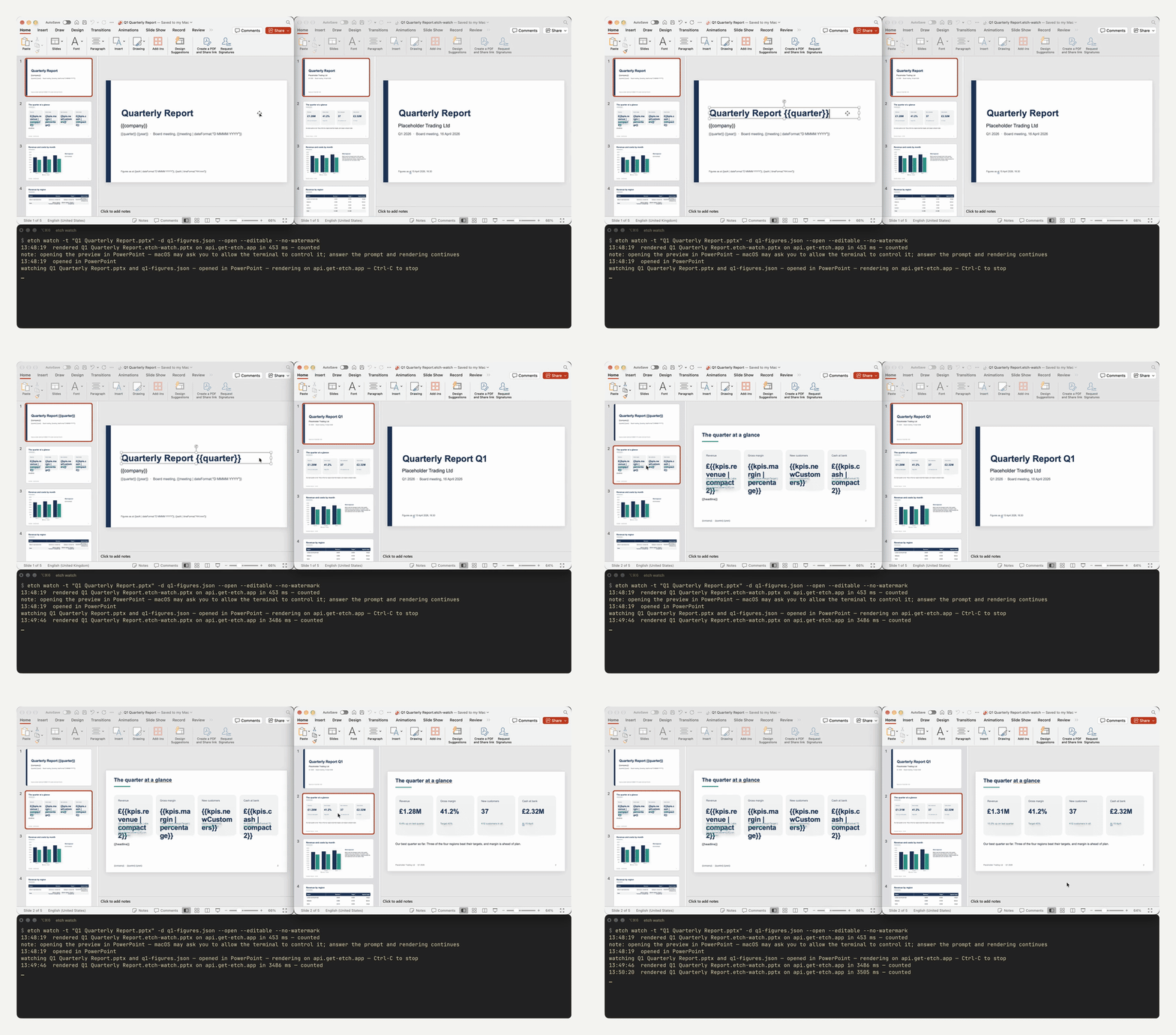
On slide 2 the template holds tags such as £{{kpis.revenue | compact 2}} and {{kpis.revenueChange | abs | percentage}}, and the preview shows what they turn into.
Previews are normally free and carry a watermark. I recorded this one with --no-watermark, which renders a clean copy and counts each save as one of the month's documents. The command line tool comes with the Professional and Enterprise plans.
To make the finished file rather than a preview:
etch process -t quarterly-report.pptx -d q1-2026.json -o "Q1 Quarterly Report.pptx"
Client Library Support
Oracle APEX
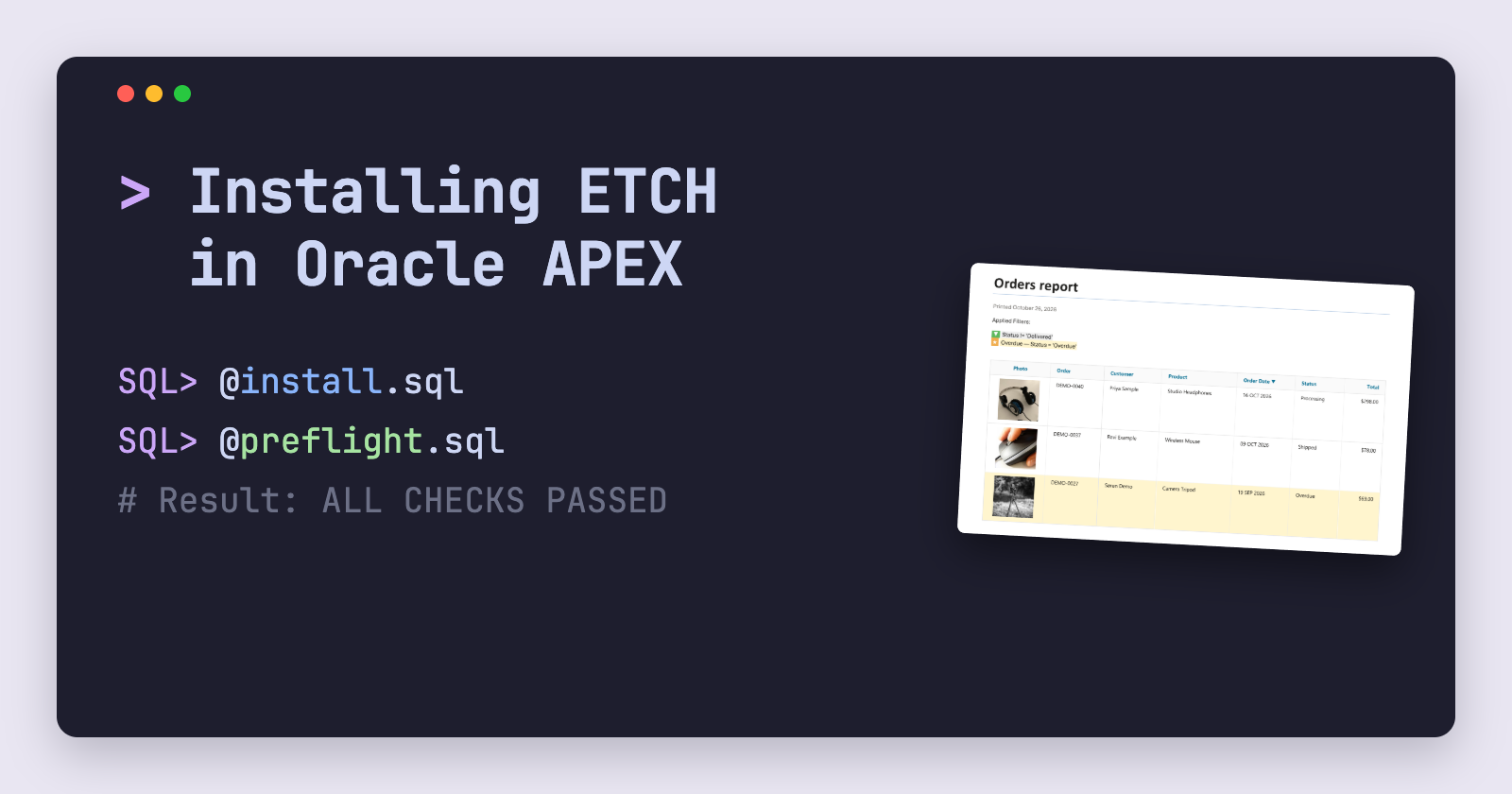
Oracle APEX is where I've spent most of my working life, and it's where I've seen this problem most often. The ETCH plugins for APEX add a dynamic action and a page process plugin. You choose a template and the data, which can be a SQL query or an interactive report or grid, and the user gets the document in their browser. An interactive report or grid comes across with whatever filters and sorting the user has applied.
The APEX tutorial video goes through it from start to finish.
Python
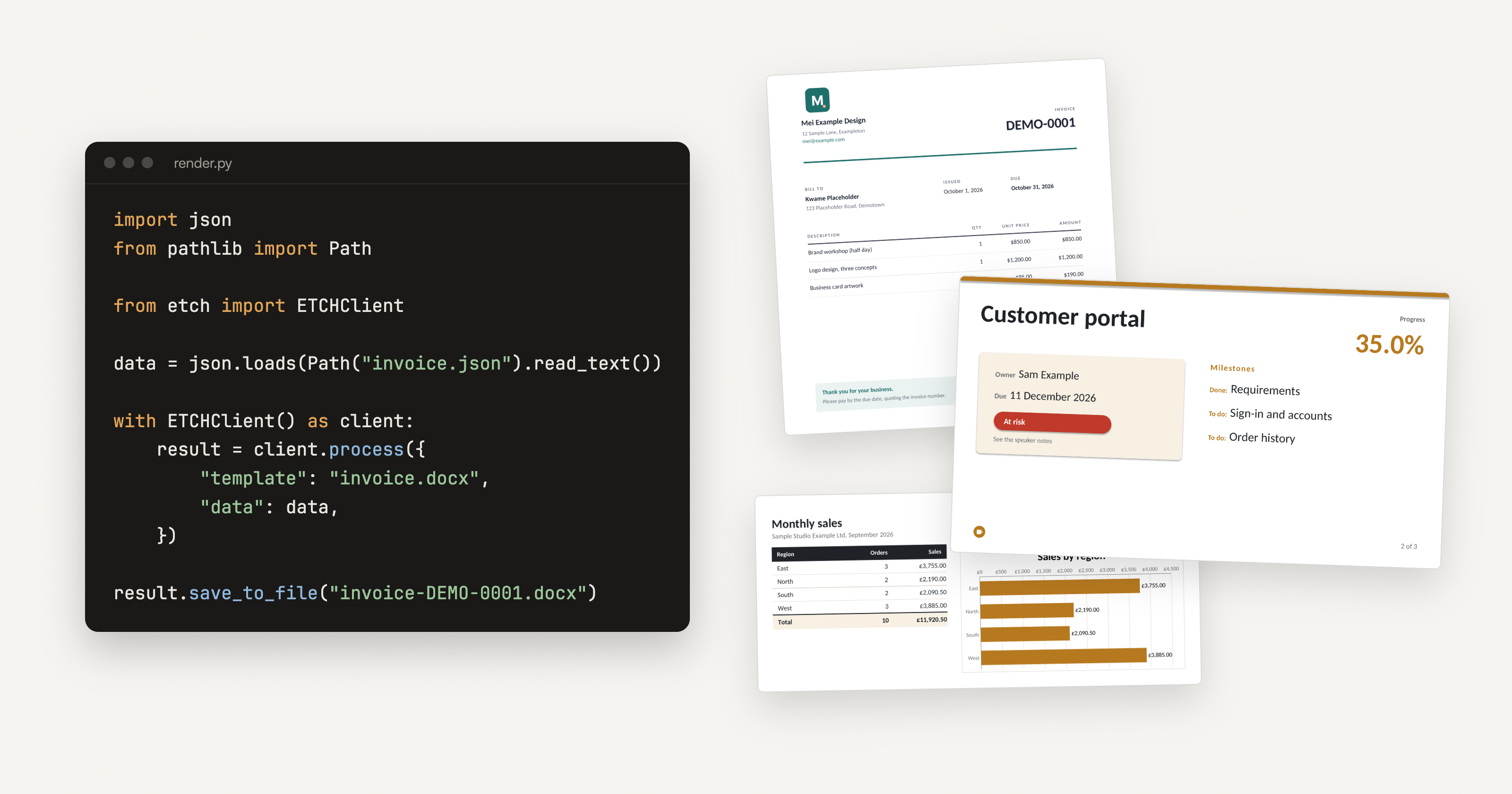
import json
from pathlib import Path

from etch import ETCHClient

data = json.loads(Path("q1-2026.json").read_text(encoding="utf-8"))

with ETCHClient() as client:  # reads your API key from ETCH_API_KEY
    result = client.process({
        "template": "quarterly-report.pptx",
        "data": data,
    })

result.save_to_file(Path("Q1 Quarterly Report.pptx"))
The client installs from the ETCH package registry with the package token from your dashboard; the install steps cover uv and pip. There's a Python video too.
JavaScript and Node.js
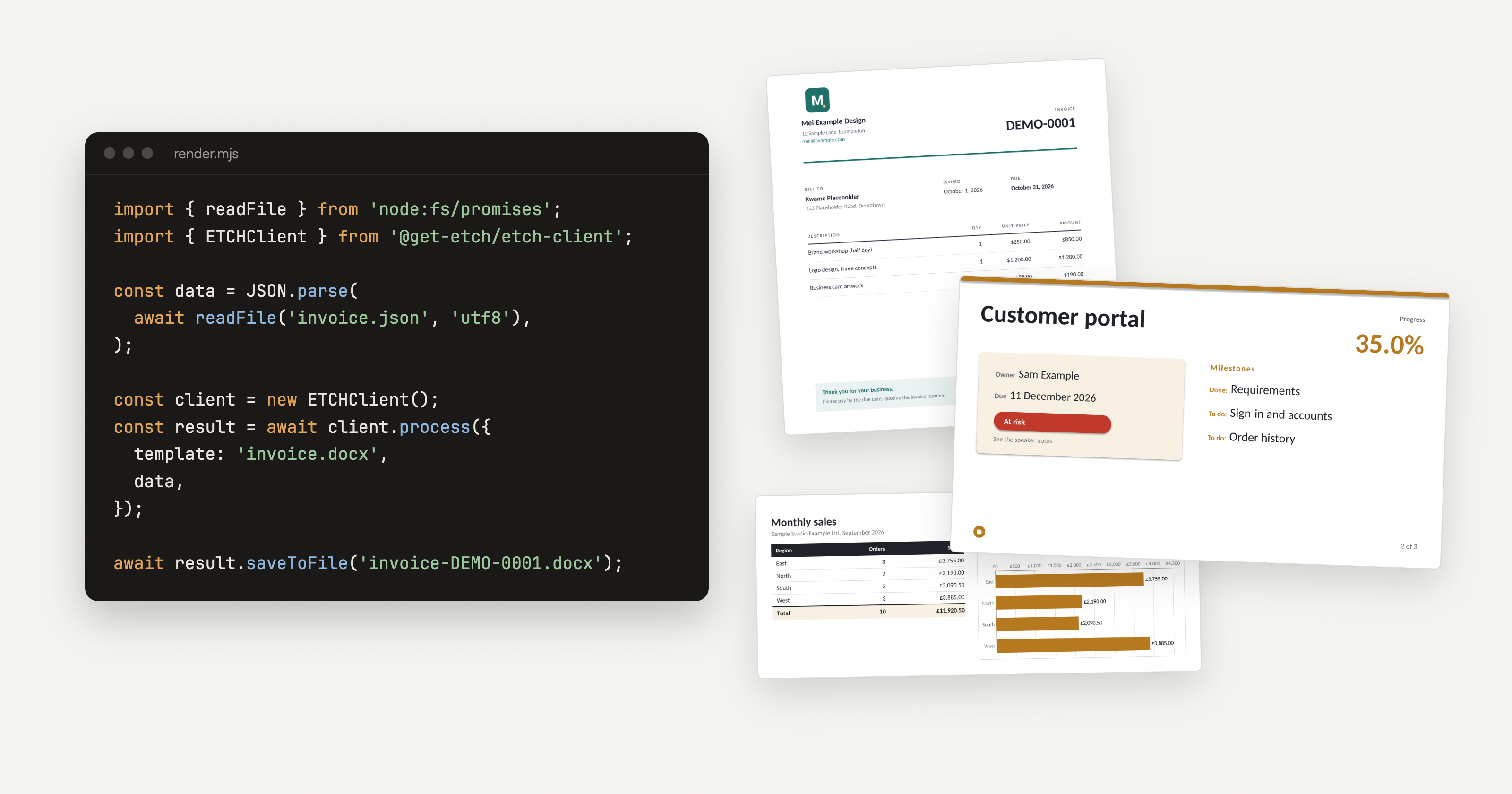
import { readFile } from 'node:fs/promises';
import { ETCHClient } from '@get-etch/etch-client';

const data = JSON.parse(await readFile('q1-2026.json', 'utf8'));

const client = new ETCHClient(); // reads your API key from ETCH_API_KEY
const result = await client.process({ template: 'quarterly-report.pptx', data });
await result.saveToFile('Q1 Quarterly Report.pptx');
The install steps cover npm and Yarn, and there's a Node.js video.
Other languages
We support Oracle APEX, Python, JavaScript and Node.js, Java, Go, Swift and REST API
Try ETCH Today
Sign up today at https://get-etch.app you can try the free plan, which gives you 200 documents a month and includes access to all the client libraries and then upgrade to whatever paid plan suits you.
Over the coming weeks we'll be posting a lot more about ETCH and the capabilities and features available, so follow the blog to be notified about updates.
Comments
Join the discussionNo comments yet. Be the first to comment.